
Last updated: July 2026.
For office procurement, Dell vs Lenovo is not a single-brand decision. Dell Latitude and Dell Pro laptops usually make sense for companies that want predictable Windows business deployments, docking support, and a straightforward IT standard. Lenovo ThinkPad laptops usually make sense for teams that prioritize keyboard comfort, durable business design, and a familiar enterprise laptop line.
The better choice depends on the job role, the number of users, the support model, and whether your company needs one approved laptop standard or a short list of approved models. For Philippine businesses, BPO teams, remote-first companies, and office administrators, the winning laptop is the one that can be quoted, invoiced, deployed, and replaced without adding extra work for IT, HR, or finance.
Shoppable Business helps companies compare laptop options through the business procurement catalog, request quotes, and coordinate procurement support for office and remote teams. Buyers can also review the Dell brand catalog and Lenovo brand catalog for more model options. For related buying support, see IT Products, Laptop Procurement for Remote Teams, Laptop Retrieval Service Philippines, and Procurement as a Service.
Short Answer: Dell vs Lenovo for Business Laptops
Choose Dell if your company wants a clean business laptop standard around Dell Latitude, Dell Pro, Dell monitors, docks, and support workflows. Choose Lenovo if your team prefers ThinkPad durability, keyboard feel, and a business laptop line that many office users already recognize. For larger teams, the best setup may be a mixed approved list rather than one brand for everyone.
Dell vs Lenovo: Quick Business Comparison
| Buyer need | Dell fit | Lenovo fit |
|---|---|---|
| Standard office deployment | Dell Pro and Latitude lines are practical for repeat purchasing and office setup. | ThinkPad E and L series are familiar business options for daily office work. |
| Premium mobile users | Dell Latitude is a strong choice for managers and mobile employees. | ThinkPad X1 and higher ThinkPad lines are strong for lightweight executive use when available. |
| Keyboard and durability preference | Dell business laptops are solid, especially Latitude models. | ThinkPad is often preferred by buyers who care about keyboard feel and rugged business heritage. |
| BPO and support teams | Dell Pro or Latitude can work well with docking, headsets, and monitors. | ThinkPad E/L models can be a dependable standard for support, admin, and hybrid users. |
| Procurement standardization | Good for companies already using Dell docks, monitors, and accessories. | Good for companies with existing ThinkPad fleets or Lenovo accessory standards. |
| Best buying approach | Use Dell Latitude for higher-spec users and Dell Pro for broader deployments. | Use ThinkPad L/E models for general office users and higher ThinkPad lines for mobile staff. |
Business Laptops to Compare
Use these Shoppable Business product catalog listings as a starting shortlist. To see more options by manufacturer, browse the Dell brand page or Lenovo brand page. Confirm availability, warranty, pricing, and final model fit through a business quote before procurement.
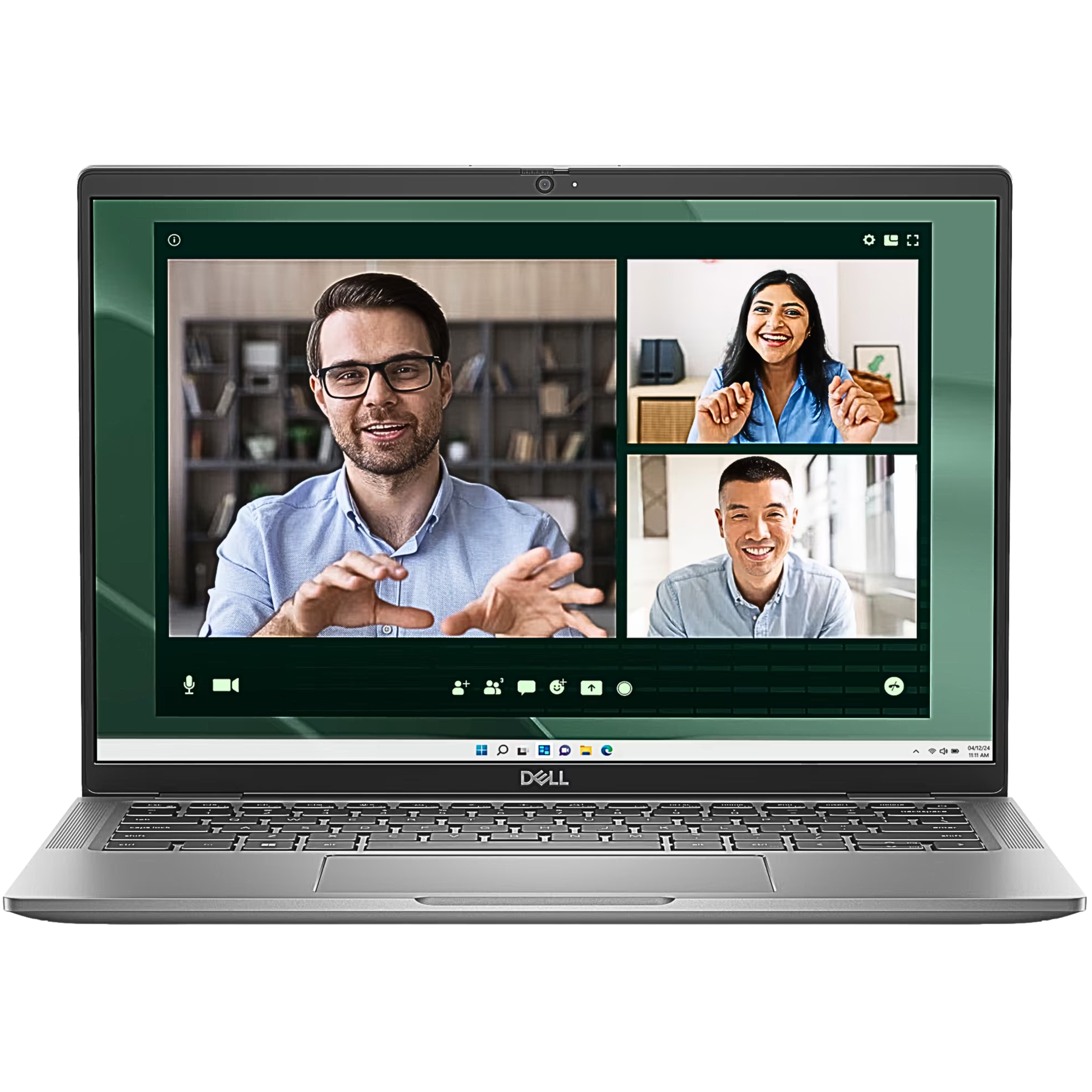
Dell Latitude 7450 14-inch FHD+ Notebook Laptop Core Ultra 7 165U 16GB 512GB SSD Win11 Pro
Best for: Managers, senior staff, and mobile office users who need a premium Dell business laptop
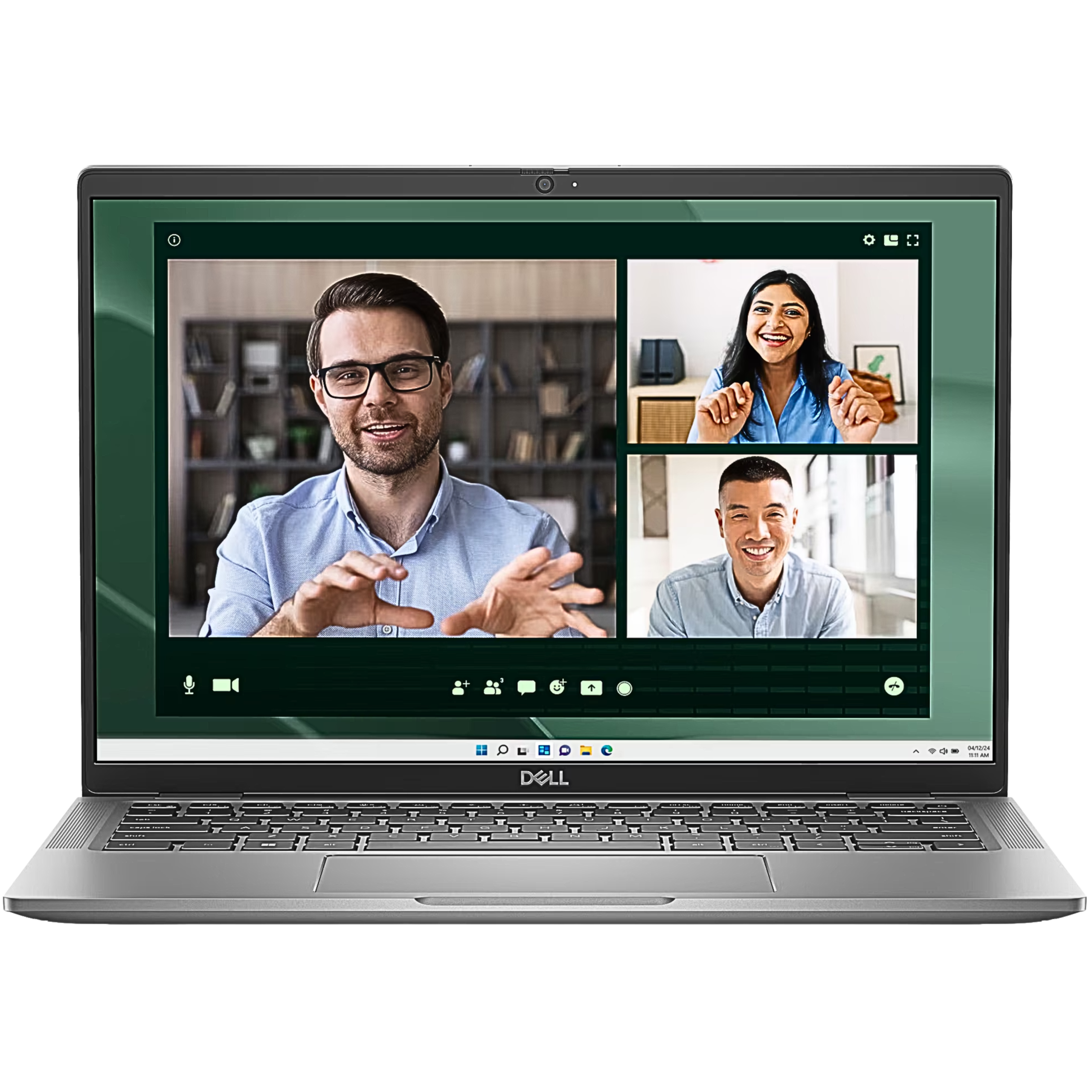
Dell Latitude 7450 14-inch FHD+ Touch Notebook Laptop Core Ultra 7 165U 16GB 512GB SSD Win11 Pro
Best for: Higher-spec Latitude users who want touch capability
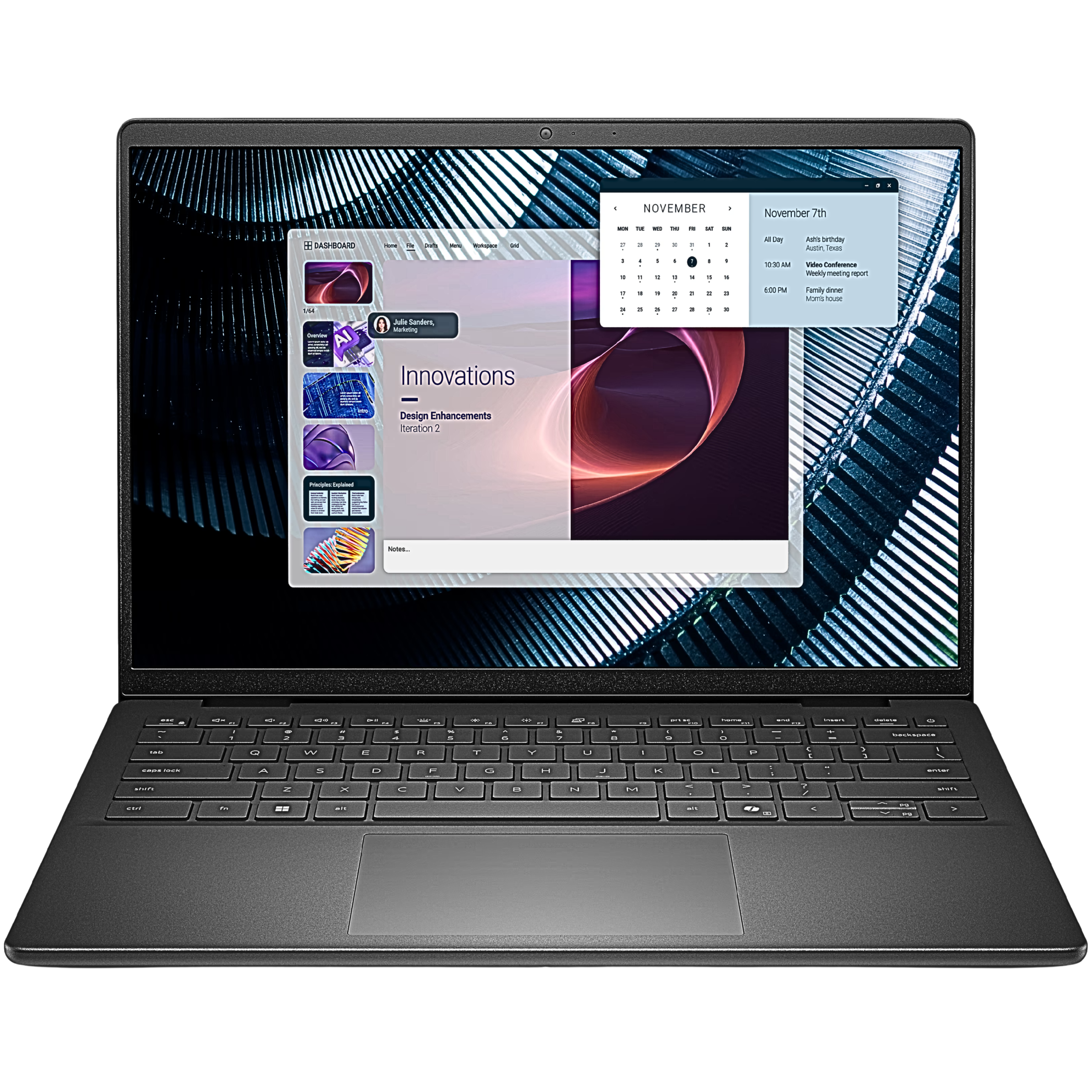
Dell Pro 14 Essential PV14250 14-inch FHD+ Notebook Laptop Core 5 120U 16GB 512GB SSD
Best for: Standardized company laptop deployments that need 16GB memory and compact business hardware
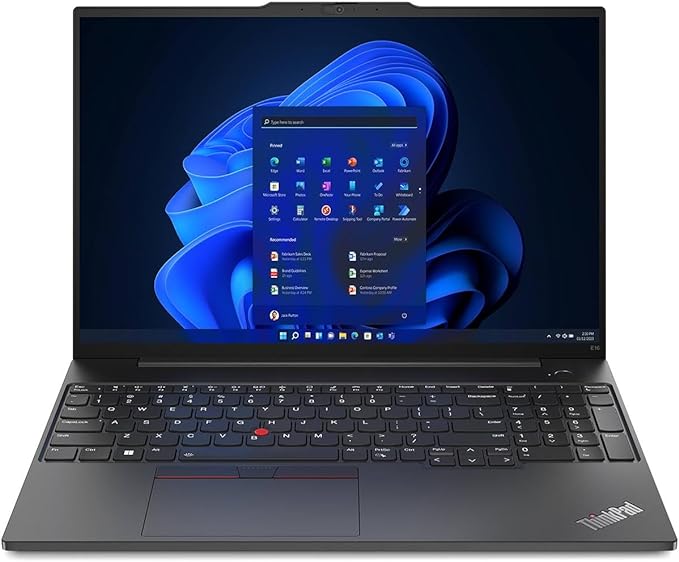
Lenovo ThinkPad E16 G1 13th Gen Intel Core i5-13420H Laptop 16GB 512GB SSD
Best for: Office teams that want ThinkPad familiarity with a larger screen
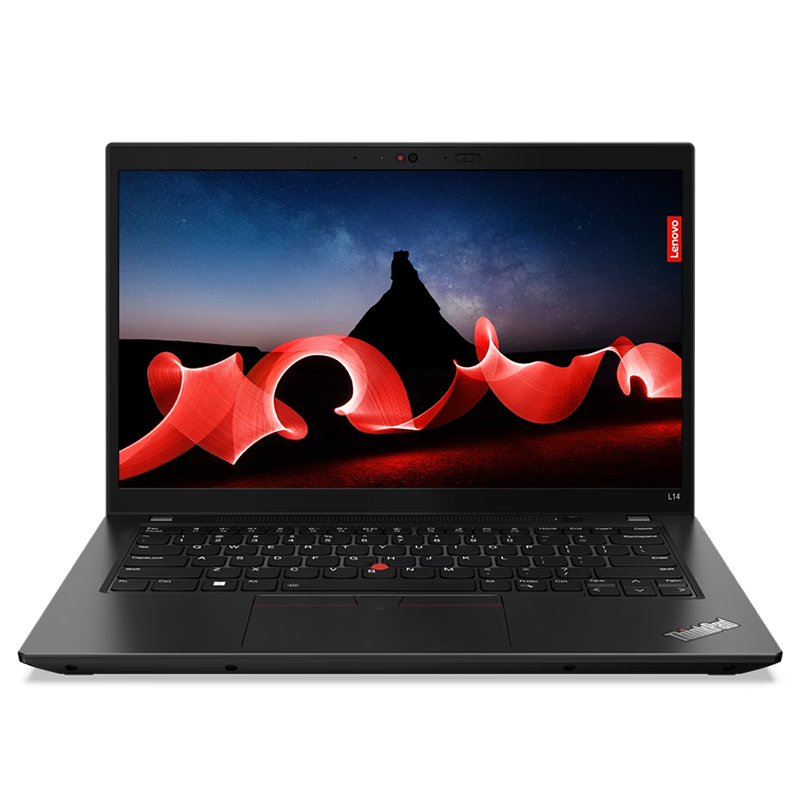
Lenovo ThinkPad L14 Gen 4 14-inch Laptop Intel Processor 16GB RAM 512GB Storage Thunder Black
Best for: Everyday business users who need a practical ThinkPad for office productivity
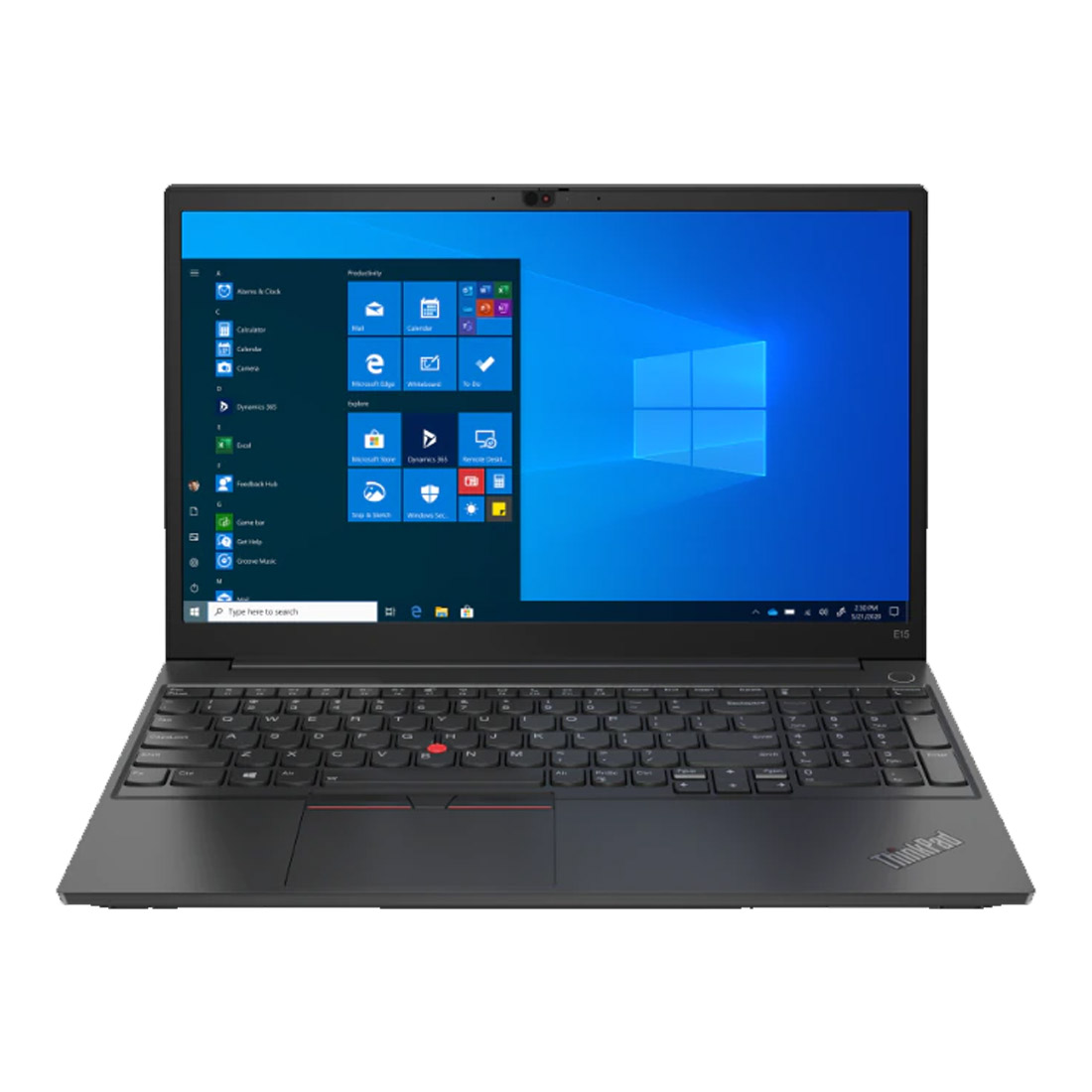
Lenovo ThinkPad E15 Gen 4 15.6-inch Laptop Intel Processor 8GB RAM 512GB Storage Black
Best for: Teams comparing value ThinkPad options for admin, HR, and general office roles
When Dell Makes More Sense
Dell is a good fit when your company already uses Dell monitors, docks, keyboards, or support workflows. Latitude is the more premium office line, while Dell Pro can fit broader employee deployments.
Choose Dell when:
- Your IT team prefers Dell management, docking, or monitor compatibility.
- You want a Latitude option for managers or mobile employees.
- You are standardizing a laptop, monitor, dock, and headset setup around Dell accessories.
- You need a practical company laptop line for repeated procurement.
- Your buyer prefers a simple distinction between premium Latitude users and broader Dell Pro users.
Dell Latitude is usually the cleaner pick for executives, managers, sales leaders, and employees who travel between home, office, and client meetings. Dell Pro is often a better fit when the goal is to equip a larger group with consistent specs without pushing every user into a premium configuration.
When Lenovo ThinkPad Makes More Sense
Lenovo ThinkPad laptops remain a familiar business choice because many companies trust the line for office use, keyboards, durability, and fleet consistency. ThinkPad E and L series models can work well for general office teams, while ThinkPad X series models may fit executives or mobile workers when available.
Choose Lenovo ThinkPad when:
- Your users care about keyboard feel and business-laptop durability.
- You already have ThinkPad users or Lenovo accessories in the company.
- You want practical office laptops for admin, HR, operations, and support roles.
- You need a familiar business line for repeat purchasing and employee replacement.
- Your team wants a clear step-up path from value ThinkPad options to more premium ThinkPad models.
ThinkPad E and L models are usually the practical shortlist for HR, admin, operations, customer support, accounting, and hybrid employees who need reliable productivity more than premium design.
Best Choice by Team Type
| Team or role | Better starting point | Why it fits |
|---|---|---|
| Managers and mobile employees | Dell Latitude or higher ThinkPad models | Better fit for users who need lighter, more premium business hardware. |
| Admin, HR, and finance users | Dell Pro or ThinkPad L/E | Practical business laptops for email, documents, spreadsheets, video calls, and browser-based tools. |
| BPO and support teams | Dell Pro, Dell Latitude, or ThinkPad L/E | Works well when paired with monitors, headsets, and standardized desk setups. |
| Remote employees in the Philippines | Dell Latitude, Dell Pro, or ThinkPad L/E | Choose based on delivery, warranty, replacement process, and approved accessory kit. |
| Executives and frequent travelers | Dell Latitude or premium ThinkPad | Better when portability, battery life, and a higher-spec configuration matter. |
| Cost-controlled deployments | Dell Pro or ThinkPad E | Good starting points when the company needs consistent specs across many seats. |
Specs to Standardize Before Buying
For most office laptop procurement, the safest baseline is 16GB RAM, 512GB SSD storage, a current business-grade processor, and Windows Pro when company management policies require it. Some teams can still use 8GB RAM for lighter work, but 16GB is usually a better default for multi-tab browser use, video calls, spreadsheets, and collaboration apps.
Before choosing Dell, Lenovo, or a mixed standard, confirm:
- The number of users and their job roles
- Minimum RAM and storage requirements
- Whether users need Windows Pro
- Docking, monitor, headset, and webcam requirements
- Warranty and replacement expectations
- Delivery destinations and deployment timing
- Invoice, purchase order, and payment-term requirements
- Whether devices may later need retrieval or redeployment
Screen size also matters. A 14-inch laptop is easier for hybrid employees, while a 15.6-inch or 16-inch laptop can be more comfortable for desk-based staff. If users will pair laptops with external monitors, prioritize business reliability, ports, memory, storage, and warranty over screen size alone.
Procurement Tips Before Choosing
A company does not need to pick one brand for every employee. A mixed standard can work well: Dell Latitude for managers, Dell Pro or ThinkPad L/E models for general employees, and a higher-spec option for technical, analytics, or executive users. The key is to keep the approved list short enough for procurement and IT support.
For example, a practical approved list might include one premium 14-inch Dell Latitude, one standard Dell Pro model, one ThinkPad E or L model, and one larger-screen ThinkPad option. That gives buyers room to match job roles without turning every request into a one-off exception.
The procurement risk is not only choosing the wrong brand. It is buying too many similar models, approving inconsistent specs, or forgetting accessories. For office teams, include monitors, docks or USB-C hubs, headsets, webcams, laptop bags, asset tagging, delivery address handling, invoice requirements, and offboarding plans.
If your company has remote employees in the Philippines, connect laptop procurement with the full equipment lifecycle. Devices may need to be delivered to new hires, retrieved from resigning employees, redeployed to replacement staff, or replaced quickly when a device fails. That is why laptop procurement and laptop retrieval should be planned together.
FAQs
Is Dell or Lenovo better for business laptops?
Dell is often better for companies that want Latitude or Dell Pro standardization with Dell accessories and support workflows. Lenovo is often better for companies that prefer ThinkPad keyboards, durability, and long-running business laptop familiarity. The better choice depends on user roles, support process, warranty needs, and available business quotes.
Is Dell Latitude better than Lenovo ThinkPad?
Dell Latitude and Lenovo ThinkPad both serve business buyers, but they fit different preferences. Latitude is a strong choice for premium office standardization and Dell-based setups. ThinkPad is a strong choice for keyboard-focused users and companies with existing Lenovo standards. Compare exact specs, warranty, ports, and pricing before deciding.
Which laptop brand is better for BPO or support teams?
Both Dell and Lenovo can work for BPO and support teams. The more important decision is choosing a consistent model with enough RAM, reliable storage, good monitor support, and compatibility with headsets and webcams. Dell Pro, Dell Latitude, ThinkPad E, and ThinkPad L models are practical starting points.
Should companies standardize on one laptop brand?
Standardizing on one brand can simplify support, purchasing, and accessories, but it is not always required. Many companies use a short approved list instead: one premium laptop, one standard office laptop, one larger-screen option, and one higher-spec model for heavier workloads.
What specs should office laptops have?
For most office teams, start with 16GB RAM, 512GB SSD storage, a current business-grade processor, and Windows Pro when IT management requires it. Teams using large spreadsheets, many browser tabs, analytics tools, or frequent video calls should avoid underpowered configurations.
Can Shoppable Business help compare Dell and Lenovo laptop quotes?
Yes. Shoppable Business can help companies compare available Dell and Lenovo options in the business procurement catalog, request quotes, coordinate procurement support, and plan related IT equipment needs such as monitors, docks, headsets, delivery, and laptop retrieval.
Request a Business Laptop Quote
If you are comparing Dell and Lenovo laptops for your office team, Shoppable Business can help you review available catalog options, request quotes, and coordinate procurement support. Share your preferred brands, target specs, employee count, delivery locations, warranty expectations, and invoice or purchase-order requirements so the team can help build a practical shortlist.