
Hiring remote talent in the Philippines is no longer a niche strategy. For international companies, it is now a proven way to scale teams across customer support, finance, operations, engineering, design, and back-office functions.
But there is a practical reality that quickly shows up after the offer letter is signed: remote hiring is only “remote” for the employer, not for the equipment.
Laptops must be sourced. Devices must be delivered across islands and provinces. New hires must be productive on day one. Returns, replacements, and offboarding retrieval must be handled securely. And finance still needs clean documentation.
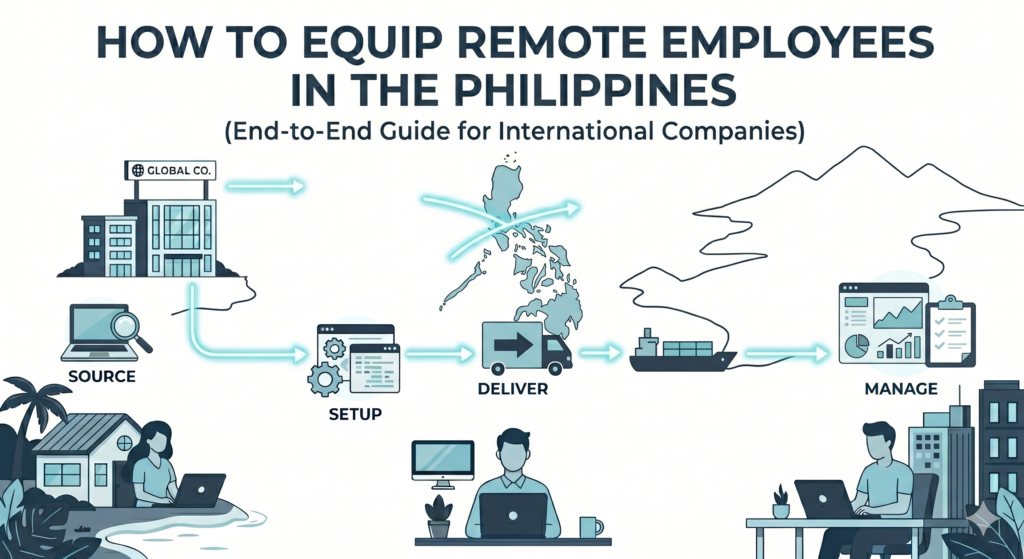
This guide breaks down how to equip remote employees in the Philippines with an end-to-end, low-friction approach that supports scale.
Why equipping remote employees in the Philippines is more complex than it looks
In theory, you “just buy a laptop.” In practice, international companies often run into friction in four areas:
- Availability and pricing volatility
Popular business laptop models can go in and out of stock. Pricing can shift depending on supply, seasonality, and distributor availability. - Nationwide delivery and address variability
The Philippines is geographically distributed. Reliable delivery is possible, but it needs coordination and a consistent process, especially for provincial locations, gated communities, and buildings with strict receiving policies. - Setup and security requirements
Many companies need standardized configurations: device naming, OS language, admin settings, VPN, endpoint protection, productivity apps, and access controls. - Lifecycle management
Equipment is not a one-time task. People get hired, roles change, devices break, and employees leave. Without a workflow for retrieval, repair, warranty claims, loaners, and disposal, small issues turn into recurring operational drag.
Step 1: Decide your equipment policy (before you buy anything)
Before procurement starts, define a clear policy so purchases stay consistent and defensible. Your policy should answer:
- Company-owned vs. allowance: Will you provide devices or reimburse employees?
For roles handling sensitive data, company-owned devices are typically safer and more manageable. - Role-based specs: What minimum specs do you need per role?
Example: customer support vs. design vs. engineering have very different needs. - Accessories and peripherals: What else is required for productivity?
Typical add-ons: headset, webcam, keyboard and mouse, second monitor, UPS, and router backup depending on role. - Support expectations: Who handles troubleshooting and replacements?
If IT support is offshore, you need a local process for swaps and repairs.
A clear policy speeds up approvals and makes scaling repeatable.
Step 2: Standardize your “remote employee kit”
A remote kit reduces last-minute shopping and ensures a consistent employee experience. Many companies create two to four standard kits, such as:
- Basic Admin Kit: laptop + headset + mouse
- Customer Support Kit: laptop + noise-cancelling headset + webcam
- Productivity Kit: laptop + monitor + keyboard and mouse
- Power Reliability Kit: UPS + surge protection (for areas with unstable power)
Standard kits simplify ordering, budgeting, and replacements.
Step 3: Source laptops in the Philippines with the right structure
International buyers often underestimate how much time gets lost in fragmented sourcing:
- Multiple vendors
- Multiple quotes that are not truly comparable
- Confusing warranty coverage
- Inconsistent invoices and documentation
- No clear “owner” for delivery coordination
When sourcing, look for a procurement approach that provides:
- Access to multiple brands and models
- Transparent pricing and options
- Documented warranty coverage
- Official invoicing appropriate for your finance team
- A process that scales from one hire to hundreds
This is where many companies shift from “shopping” to procurement operations.
Step 4: Plan for setup and deployment (so day-one is real)
Even the right laptop becomes a day-one problem if it arrives unconfigured.
If your organization has basic security and productivity requirements, consider PC imaging and setup before delivery. Typical pre-deployment configuration includes:
- OS and driver checks
- Endpoint protection or device management enrollment
- VPN and security settings
- Productivity tools (collaboration apps, browser profiles, bookmarks)
- Regional settings and keyboard layout
- Company naming conventions and user readiness
Deployment is not only technical. It is operational. The win is reducing the back-and-forth during onboarding week.
Step 5: Coordinate delivery nationwide (and confirm receipt properly)
For remote employees, delivery is not just “ship it.” You need a repeatable delivery workflow that includes:
- Confirming recipient contact details and availability
- Scheduling when needed (especially for gated residences or buildings)
- Ensuring secure packaging
- Tracking shipment status
- Confirming proof of delivery
A simple but important best practice: treat delivery confirmation as part of procurement documentation, not an afterthought. It prevents disputes and speeds up internal closing, especially for finance and HR coordination.
Step 6: Build retrieval into your offboarding process
The biggest overlooked area in remote work enablement is retrieval.
When an employee leaves, equipment retrieval is often handled ad hoc. That increases risk:
- Devices remain with former employees
- Company data may be exposed
- Hardware inventory becomes inaccurate
- Replacement purchases increase unnecessarily
A strong remote equipment plan includes:
- Scheduled pickup or return coordination
- Documented chain of custody
- Condition checks and refurbishment decisions
- Secure wipe and re-imaging before redeployment
The goal is not just retrieval, it is reusability.
Step 7: Don’t ignore repairs, warranties, and continuity
Remote work needs continuity. Devices fail. Accidents happen. Power issues occur. Without a local plan, downtime can stretch from days to weeks.
Build a process for:
- Warranty claims and repair coordination
- Replacement procurement
- Loaner devices for business continuity
- Upgrade cycles for performance stability
- Clear escalation for “device down” situations
This is where an end-to-end workflow matters more than one-time purchasing.
Step 8: Manage lifecycle, including disposal
Eventually, devices reach end-of-life. Mature organizations treat disposal as part of governance, not an afterthought. A responsible lifecycle plan includes:
- Asset logging and assignment tracking
- Refresh timelines per device class
- Secure data wiping and documentation
- Proper disposal, resale, or donation policies (aligned with your compliance requirements)
Even if disposal happens later, planning early prevents surprises and protects data.
A practical option: equip your team end to end, without building the process yourself
If you are hiring remote employees in the Philippines and want a faster, cleaner approach, consider using a single workflow that covers the full equipment lifecycle.
Equip your team in days, not weeks. We handle procurement, setup, delivery, and retrieval so you can hire and scale without delays.
Hiring in the Philippines shouldn’t slow you down because of equipment. We handle everything from sourcing laptops and IT equipment to configuring, deploying, and retrieving devices across the country. Whether you’re onboarding one employee or scaling a full team, we make sure your people are ready from day one.
No more chasing suppliers, coordinating deliveries, or managing returns, we take care of it end-to-end.
Learn more here: https://shoppable.ph/laptop-procurement-philippines-remote-teams/
Checklist: How to equip remote employees in the Philippines (summary)
Use this as a quick operational checklist:
- Define company device policy (owned vs allowance, role specs)
- Standardize remote kits (2 to 4 bundles)
- Source through reliable channels with proper documentation
- Configure devices before delivery when possible
- Deliver nationwide with tracking and proof of delivery
- Build retrieval into offboarding
- Plan for repairs, warranties, and loaners
- Track assets and plan disposal
This checklist turns remote equipment from a recurring fire drill into a manageable process.
Common mistakes international companies make (and how to avoid them)
Mistake 1: Treating equipment as a one-time purchase
Avoid this by building a lifecycle process that includes retrieval, repairs, and redeployment.
Mistake 2: Buying the cheapest option without considering downtime
A “good deal” becomes expensive if it leads to delays, high failure rates, or difficult warranty handling.
Mistake 3: No standard kits
Without kits, every hire becomes a new buying decision, slowing approvals and increasing variance.
Mistake 4: No proof of delivery and documentation trail
This creates internal finance friction and weakens asset accountability.
Mistake 5: No retrieval plan
Retrieval is where asset loss and security risks show up. Build it into offboarding from the start.
Final thoughts: equipment is part of your hiring velocity
Remote hiring in the Philippines is a competitive advantage only if your team can start on time with the right tools. The companies that scale smoothly treat equipment as part of operations: standardized, trackable, and repeatable.
If you want to reduce delays and simplify how you equip remote employees nationwide, explore Shoppable’s end-to-end workflow here:
https://shoppable.ph/laptop-procurement-philippines-remote-teams/